Quick Enquiry
Thank you for your query!
Your inquiry has been received. We appreciate your interest.
Our team will review your message and get back to you as soon as possible.

Thank you for your query!
Your inquiry has been received. We appreciate your interest.
Our team will review your message and get back to you as soon as possible.




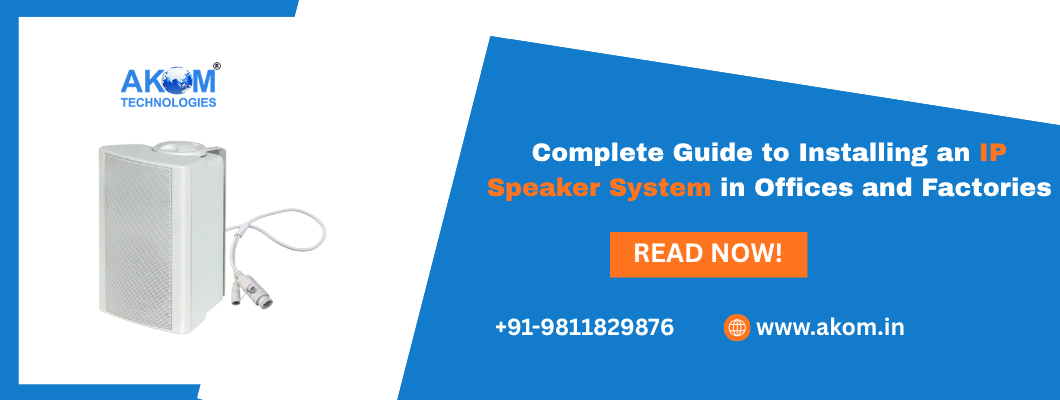
The emergence of the network based audio system is changing the way modern workplaces handle communication, as it replaces the analog public address system. You can be managing a quiet corporate office or a loud factory, but an IP Speaker system can allow the flexibility and clarity that the operation needs. In contrast to conventional services, which need proprietary cabling and centralized amplifiers, an IP-based service uses your current network infrastructure to provide your organization with high quality audio where it is most needed.
This guide provides the procedure and guidelines that are necessary to enable a successful installation in the office and factory setup.
A site survey should be conducted in order to identify the needs of your facility before buying hardware.
You may desire different areas in an office including reception, open work areas and break rooms. Production lines or safety areas usually make up the delimiting zones in a factory. You can create such zones by using software in an IP Speaker system, but you need to map out the areas where such separate communication is necessary.
The kind of hardware required is determined by the acoustic environment. Offices usually need overhead speakers which offer low profile coverage. Factories, though, usually have heavy machinery noise and so they require high output horn speakers or wall mounted ones with a higher level of sound pressure so that messages are clearly communicated.
Because all IP Speakers are network endpoints then your local area network (LAN) has to be ready to support the additional devices.
The majority of IP speakers of current models are supplied with PoE or PoE+. This reduces the necessity of electrical connections at every location of the speakers. Make sure that your network switches have adequate power budget to accommodate the total number of speakers under installation. PoE injectors can be used as a workaround in case your existing switches do not have support of PoE.
Audio information is comparatively light however in order to provide jitter free broadcasts it is a good idea to put your audio system in a separate Voice VLAN. This gives the audio traffic first priority before other regular data traffic, so that a huge file transfer within the office does not block some important safety announcement within the factory.
The performance depends on choosing the correct form factor in each environment.
In the case of Offices: Recessed ceiling speakers are to be used. They have 360 sound dispersion and are therefore best to use as background music and general paging without intruding on the landscape visually.
In the case of Factories: IP-rated horn speakers or tough cabinet speakers should be used. These cut past industrial noise and resist dust, water and temperature changes.
In the Case of Hallways and Entryways: Small wall-mounted units/speakers may deliver audio directionality in intermediate areas.
Physical installation of the IP Speaker system is much faster than using analog.
Installation: Fit speakers in the places that they are to be mounted. Their only requirement is one Cat5e or Cat6 cable, and as a result, the labor associated with the pulling of the wire is significantly minimized.
Connections: Use your PoE-powered power switch to connect the speakers to your network. The IP address will be assigned automatically to each unit through the DHCP.
Software Installation: With the help of the management program supplied by the manufacturer, locate the speakers on your network. In this case, you may name every device (e.g. Warehouse North or Accounting Dept) and put them into certain groups or areas.
SIP Integration: In case of a VoIP phone system, you can add the speakers as SIP extensions. This will enable the employees to make announcements directly through their desk phones with the help of making a special extension.
After the hardware is live, it is necessary to have a final walkthrough.
Volume Balancing: e.g. set the gain of each speaker separately. A presenter in a spacey meeting room cannot be adjusted to the same volume as a loading dock.
Two-Way Audio Check: In case your speakers are equipped with inbuilt microphones, check the talk-back feature just to ensure effective communication on the floor and the management office.
Emergency Trigger Testing: When the system is installed in conjunction with fire alarms or security sensors, test alerts have to be triggered to ensure that the auto-messages are played correctly in every zone.
The IP Speaker System is an effective investment that eases the process of communication in businesses. Offices and factories are able to leverage the scalable, reliable and smart platform of paging, alerts, and music by abandoning the use of the complicated analog wiring and adopting a software-based network. You might be beginning with five units or five hundred but the IP-based solution will keep your facility connected and secure.
Yes, but you should make sure that the speakers are weather-rated (they are usually IP65 or above). These units will survive rain, wind and UV exposure and still be of high quality audio.
2. Can I have unlimited IP as many speakers as I can?
Technically it is limited by your network capacity and software licences. The system is practically unlimited to most businesses so that as your office or factory grows, you can add more speakers.
3. Are IP speakers functional in case of power outage?
In case your network switches are linked to an Uninterruptible Power Supply (UPS) or backup generator, your IP Speaker system will keep working, a very important requirement in emergency evacuation directions.
4. Is it possible to listen to various music in the office and not in the factory?
Yes. With the management dashboard, you are able to allocate various audio sources to various zones at the same time. The background music can be a soothing one that you can play in the office, and in the factory area, the zone should be clean and announce the operations.
5. Will I have to re-run new cables to have Ethernet ports?
In case you have free Ethernet ports which support PoE, then you can just plug in the speakers. This allows retrofitting of an existing building to be a lot easier than putting in place a brand new analog system.
Subscribe to our newsletter for a weekly dose of news, updates, helpful tips, and exclusive device.
 sales@akom.in
 +91-9811829876