Quick Enquiry
Thank you for your query!
Your inquiry has been received. We appreciate your interest.
Our team will review your message and get back to you as soon as possible.

Thank you for your query!
Your inquiry has been received. We appreciate your interest.
Our team will review your message and get back to you as soon as possible.




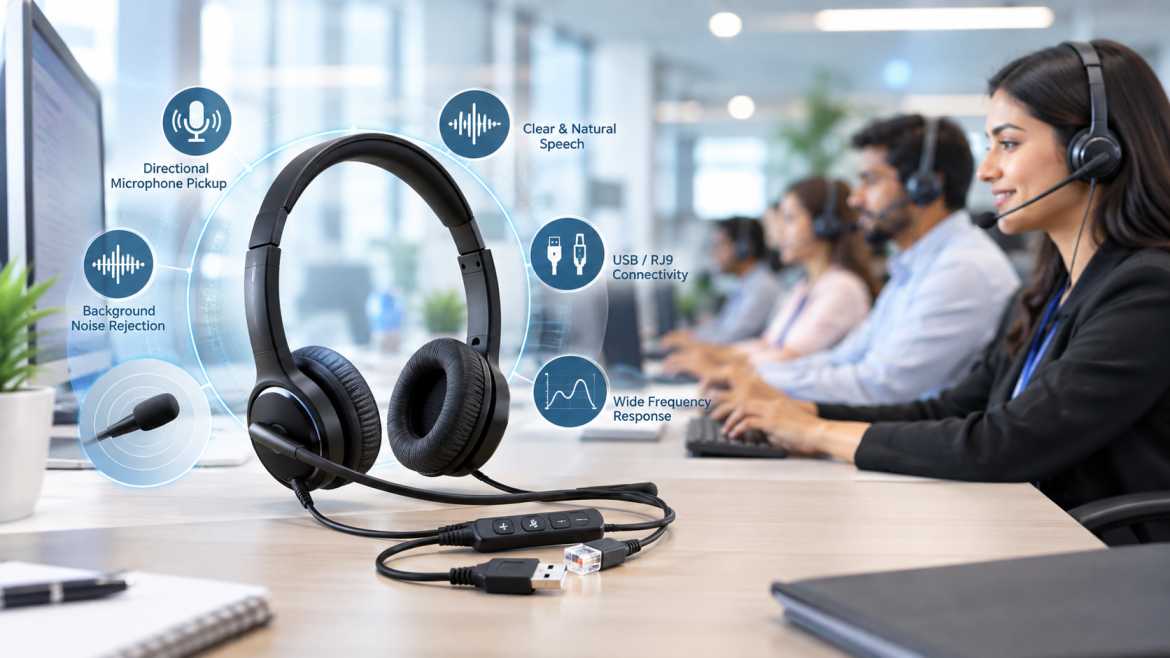
Anyone who has spent a shift on a call center floor knows not all headsets are created equal. Two agents could be sitting ten feet apart, one on a headset that makes every word crystal clear and the other asking customers to repeat themselves constantly — and it usually has nothing to do with volume. This is a function of microphone design, noise rejection, driver tuning, and matching of the headset to the phone system and the room in which it is used.
Call center headsets with a mic are communication headsets that are purpose-built -- not consumer audio headphones with a mic bolted on -- and engineered around one job: capturing clear, intelligible speech and delivering it reliably over a phone system or VoIP platform, often for eight or more hours a day, in a room full of other people doing the same thing.
This guide was written for the people who actually have to make that buying decision: call center managers, IT admins, BPO procurement teams and customer support leads. It explains how professional headsets really work, what microphone and driver specs actually mean, how noise cancellation really works (and where marketing language gets it wrong), the real trade-offs between wired and wireless, USB vs 3.5mm vs RJ9 vs QD connectivity, mono vs binaural designs, and a practical framework for choosing the right headset for a specific environment and phone system.
Call center headphones with mic are hands-free communication headsets that integrate a speaker (or two in the case of binaural designs) with an integrated microphone, typically on a boom, intended for high volume, hands-free voice communication over a desk phone, softphone or VoIP system. They are not like consumer headphones, they are designed for clarity of speech, all day comfort and durability for continuous daily use, not music reproduction.
The main differentiator from generic computer headphones is intentional engineering: a call center headset’s microphone is tuned and positioned for close-range speech pickup with ambient noise rejection, its driver is tuned for voice-frequency clarity rather than bass response, and its mechanical components (headband, boom arm, cable strain relief) are designed to survive thousands of don/doff cycles per year.
Functionally, a call center headset does two things at once: it delivers incoming audio from the phone system to the agent’s ear(s), and picks up the agent’s voice and sends it back over the same connection.
1. Incoming audio path – audio from the caller arrives via the desk phone, softphone or VoIP client, is processed (in USB headsets, this is the digital to analogue conversion within the headset) and is played through the driver(s) into the ear cup or earbud.
2. Outgoing audio path — the agent’s voice is picked up by the boom microphone, noise-rejection processing is done by the headset’s microphone circuitry (analogue or digital, depending on model), and the signal is returned over the connection — USB digital audio, analogue RJ9/QD telephone signalling, or Bluetooth, depending on headset type.
3. Control functions – most professional headsets will include in-line volume and mute controls, and higher-end USB headsets will include call-answer/end buttons that work with soft phone software.
The exact electrical path varies greatly depending on the type of connector — a USB headset does digital signal processing and audio conversion inside the headset itself, handing already-processed digital audio to the computer, while an RJ9 or QD headset carries analogue audio directly to/from the phone’s own audio circuitry. This distinction will matter later when we talk about connectivity.
The most important element for call quality. The agent’s voice on the other end of the call will be intelligible depending on the type, sensitivity, frequency response and positioning of the agent’s microphone.
Converts electrical audio signal to sound agent hears. Driver size, frequency response and impedance set clarity, loudness and fidelity to the human speech frequency range.
The mechanical arm bringing the microphone to the agent’s mouth. A flexible, adjustable boom (often rotatable about 270-300 degrees on professional models) that is frequently noise-cancelling, allows for consistent, repeatable microphone placement, which is critical to keeping voice pickup consistent across different agents and shifts.
This is the padding material on the ear cup, which affects both comfort during long shifts and, on over-ear (circumaural) designs, the degree of passive noise isolation from the surrounding environment.
The physical connection to the phone or computer – USB, 3.5mm, RJ9, or QD – and cable length and strain relief quality – which directly impacts headset lifespan during daily plug/unplug cycles.
Volume and mute controls on the cable or ear cup that allow an agent to quickly mute the microphone or change listening volume without having to touch the phone or computer – one small feature with a huge impact on call handling speed and etiquette (muting while sneezing or side conversations, for instance).
Speech intelligibility is won or lost at the microphone, and it’s a good idea to understand the underlying technology, rather than taking a marketing label like “noise-cancelling mic” at face value.
The most common capsule type found in professional headsets is the electret condenser microphone. The capacitor diaphragm includes a permanently charged (electret) material, providing good sensitivity and frequency response in a small, low-cost, low-power package—perfect for close-talk headset use.
Micro-Electro-Mechanical Systems, or MEMS, microphones are finding their way into ever smaller or digitally integrated headset designs, particularly in USB versions with digital signal processing on the board. They are also very consistent to manufacture and work well with digital audio circuitry. Electret capsules are still common in old-school boom-mic call center headsets.
In a shared office, the difference between an omnidirectional and a directional pickup pattern is huge. An omnidirectional microphone picks up sound roughly equally from all directions, which is fine if you’re in a quiet, isolated environment, but it’s likely to pick up the surrounding office noise on a busy floor. Directional (often cardioid) microphones are more sensitive to sounds coming from directly in front of the capsule, i.e. the agent's mouth, and reject sounds coming from other directions. This is why directional pickup patterns are so strongly preferred for call center applications.
·• Sensitivity – how well the microphone responds to a given sound pressure level; too little sensitivity requires the agent to speak louder or sit closer, too much it can pick up excess ambient noise.
·• Frequency response – the range of frequencies the microphone can reproduce. A microphone sensitive to the range of human speech (a few hundred Hz to several kHz) rather than the full audio spectrum is better suited for voice capture than for music.
·• Signal-to-noise ratio (SNR) — the ratio between the desired voice signal and the microphone’s own inherent electrical noise floor. A higher SNR generally means a cleaner, quieter-background voice signal.
·• Acoustic noise rejection – how well the microphone design (capsule, boom positioning and any noise-cancelling capsule architecture) suppresses ambient sound compared to close-range speech.
·• Voice pickup pattern—directional or omnidirectional, as discussed above.
·• Boom positioning — correct positioning (usually near, but not directly in front of the mouth, to avoid breath and plosive noise) has as much practical effect on intelligibility as the microphone's raw specifications.
The most common type of driver used in call center headsets is the dynamic driver, which is a voice coil and diaphragm assembly driven by a permanent magnet. Dynamic drivers are selected for their reliability, cost-effectiveness, and adequate performance over the voice frequency range; these are not the more expensive driver technologies used in high-end consumer audio equipment.
• Driver size — larger drivers move more air and often produce more perceived loudness/bass, but call center headsets don’t need big drivers, as voice reproduction doesn’t require the low-frequency extension that music does.
• Frequency response – the range of frequencies reproduced by the driver; a headset tuned for voice frequencies will emphasise midrange clarity over deep bass or extended high-frequency detail.
• Impedance – affects how much electrical power it takes to drive the speaker to a certain volume; lower impedance drivers are typically easier to drive to adequate volume from a phone or PC’s audio output.
• Sensitivity – the volume at which the driver outputs a specific level of input signal.
• Maximum SPL (Sound Pressure Level) – The loudest sound the driver can produce before distortion is noticeable. Important to ensure that calls can be heard in noisy environments without damaging hearing at high volumes.
• Distortion — Unwanted artefacts of the signal introduced when playing at higher volumes or limitations of the drivers. Lower distortion helps preserve clarity of speech.
Why speech-tuned drivers are different from music-tuned drivers Consumer headphones are typically tuned for flatter bass and treble response, because that’s how recorded music sounds good. A call center headset isn’t trying to reproduce a bass drum or a cymbal nuance; it needs to reproduce the human voice clearly and consistently, hour after hour, without listening fatigue. That's a tighter, more speech-focused engineering target, and a valid reason why a 'great-sounding' consumer headphone isn't automatically a good call center headset.
This is one of the most misunderstood areas in headset marketing, and it is worth being precise, because these are three really different mechanisms.
It’s just a physical thing.” No electronics involved . Ear cushions , closed ear cups , and the acoustic seal they form against the head physically block some amount of ambient sound from reaching the ear . Over-ear (circumaural) designs tend to isolate more than on-ear or in-ear designs simply because they provide a larger physical barrier.
This is the reduction of ambient sound in the voice signal which is transmitted, i.e., what the person on the other end of the call hears, by the microphone system. This can be accomplished via the use of directional / cardioid capsule design (which naturally rejects off axis sound), dual microphone noise cancelling capsule designs (which compare a close talk signal to an ambient reference and subtract the difference) or digital signal processing in USB headsets. Most of what “noise-cancelling microphone” claims on call center headsets actually mean.
ANC is a listener-side technology: it uses microphones on the headset to sense the ambient environmental sound, then generates an inverted ("anti-noise") signal that's mixed into what the agent hears, physically cancelling out certain frequencies of ambient noise before they reach the agent's ear. ANC affects what the agent hears, but not what the caller hears – a subtlety often obscured in marketing copy.
The difference here is this: a headset that advertizes a "noise-cancelling microphone" is very likely to be relying on microphone-side noise cancellation to clean up what the caller hears — it doesn't necessarily mean it's relying on ANC, and the two shouldn't be assumed to be the same technology. Call center headsets are much more likely to use a directional/noise-cancelling microphone design and passive isolation than true ANC because the main objective is to protect the call quality to the customer and not to create a quiet listening bubble for the agent.
|
Factor |
Wired |
Wireless |
|
Latency |
Effectively none |
Small but generally imperceptible with modern codecs |
|
Battery life |
Not applicable |
Limited by battery; requires charging/swap management |
|
Mobility |
Limited to cable length |
Higher — agent can move away from the desk |
|
Reliability |
Very high, no RF dependency |
Dependent on RF link quality and interference |
|
RF interference |
Not applicable |
Possible in dense multi-headset environments |
|
Charging |
Not applicable |
Requires charging infrastructure/routine |
|
Connection stability |
Consistent, physical connection |
Can vary with distance, obstacles, and RF congestion |
|
IT management |
Simple — plug and play |
Requires managing pairing, firmware, and battery health across a fleet |
|
Security |
Physical connection, minimal attack surface |
Wireless link is an additional consideration, particularly Bluetooth pairing security |
|
Cost |
Generally lower upfront cost |
Generally higher upfront cost |
|
Maintenance |
Cable/connector wear over time |
Battery degradation over time, in addition to mechanical wear |
|
Scalability |
Simple to standardize across large fleets |
Requires charging infrastructure planning at scale |
Here’s why wired headsets are still often the better option for high-density call centers: When you have dozens or even hundreds of agents sitting very close together, having a lot of wireless links operating at the same time raises the chances of RF congestion and interference. And dealing with batteries and charging becomes a real operational burden when you get to scale. Plus, the mobility benefit of wireless just isn’t that important when the agents are tied to their desks for set shifts anyway. Wired headsets avoid a whole class of failure modes that matter a lot in high-call-volume, uptime-critical environments: battery death mid-call, RF dropout, pairing issues. That’s a big reason wired USB and RJ9/QD headsets remain the default choice across much of the BPO and call-center industry, even as wireless options have matured.
For Bluetooth, codec selection (eg standard SBC vs. higher-quality codecs where supported) affects audio quality and latency, and should be considered based on the specific softphone/UC platform’s Bluetooth handling.
|
Connection |
Technical Characteristics |
Typical Use |
|
USB |
Digital audio; headset performs its own audio conversion/processing; plug-and-play on most operating systems |
Computers, softphones, VoIP/UC platforms |
|
3.5mm |
Analog audio, relies on the connected device's own sound card/audio circuitry |
PCs, laptops, mobile devices with an analog jack |
|
RJ9 |
Analog telephone headset connection, wired directly into a desk phone's headset port |
Traditional desk phones, IP phones with an RJ9 headset jack |
|
QD (Quick Disconnect) |
A professional-grade connector allowing the agent to detach from a base cable without removing the headset, typically paired with an RJ9 or amplifier base |
Call-center desk phones, especially where agents step away frequently |
|
Bluetooth |
Wireless digital connection over a short-range RF link |
Mobile phones, PCs, and UC platforms supporting Bluetooth audio |
Subscribe to our newsletter for a weekly dose of news, updates, helpful tips, and exclusive device.
 sales@akom.in
 +91-9811829876