Quick Enquiry
Thank you for your query!
Your inquiry has been received. We appreciate your interest.
Our team will review your message and get back to you as soon as possible.

Thank you for your query!
Your inquiry has been received. We appreciate your interest.
Our team will review your message and get back to you as soon as possible.




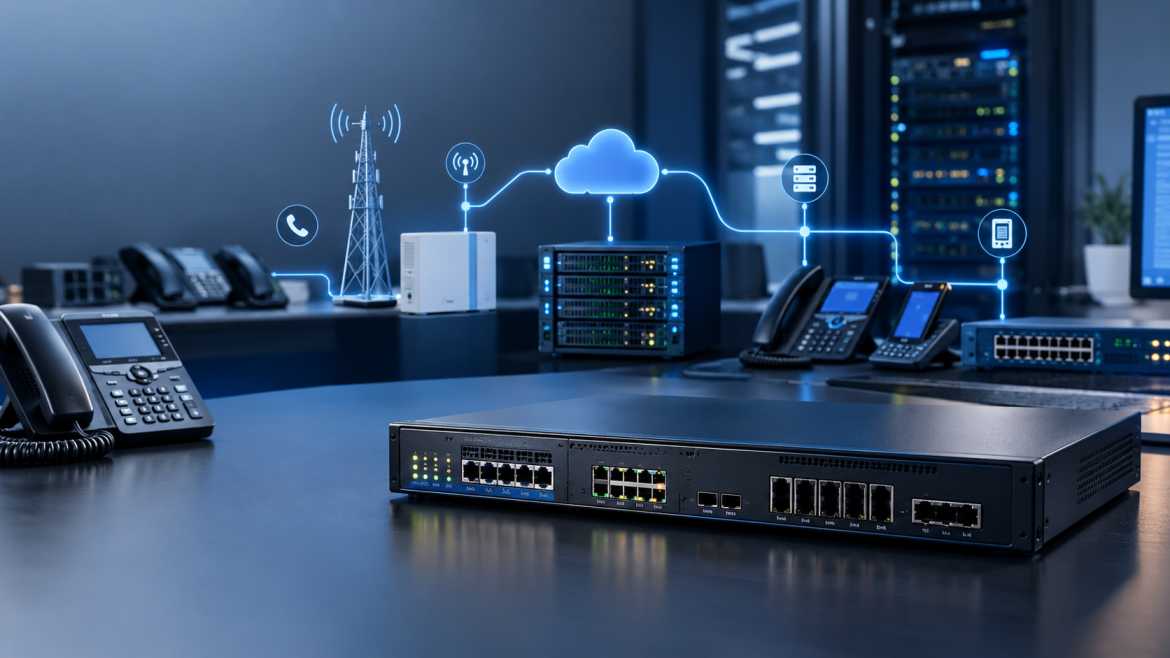
What quietly makes hybrid telephony possible is a piece of hardware called a VoIP gateway. It allows a business with analogue phones, PSTN lines, ISDN trunks or GSM connectivity to talk to a SIP-based IP network without ripping out existing infrastructure. If you've ever wondered how a legacy PBX ends up routing calls through a modern SIP trunk, or how an old fax line keeps working after an office moves to VoIP, the answer is almost always a gateway.
The importance of gateways stems from the fact that hardly any company builds a voice network from the ground up. Most already have a mix of analogue handsets, PSTN copper lines, digital E1/T1 trunks or even GSM SIM-based connectivity, so a wholesale rip and replace is rarely justified. A VoIP gateway sits oatthe bboundary between theexisting infrastructure and the IP network and dperformsthe protocol and media cconversionsneeded to allow both sides to work together.
A gateway in a typical enterprise voice architecture sits between the “outside world” (PSTN, ISDN, GSM network, or analogue station devices) and the “inside world” (an IP PBX, SIP server, or hosted SIP trunk). IT managers upgrading legacy telephony, system integrators creating multi-site deployments, call centres needing GSM or PSTN failover, and any business looking for the cost and flexibility benefits of SIP without throwing out working hardware.
This guide explains what a VoIP gateway is, how it works on the signalling and media level, different types of gateways (FXS, FXO, digital E1/T1, GSM/4G), protocols involved (SIP, RTP, SRTP, TLS), codec selection, call routing logic, security, configuration, troubleshooting, and how to evaluate a gateway for a real deployment.
A VoIP gateway is a hardware or software device that translates voice traffic and signalling between traditional telephony interfaces (analogue lines, ISDN/PRI trunks, GSM networks) and IP-based networks that run SIP and RTP protocols. It provides both protocol conversion (translation of call-control signalling) and media conversion (digitisation/encoding of analogue audio or repackaging of TDM voice into IP packets).
Typically, gateways connect one or more of the following interfaces to an IP network:
PSTN (Public Switched Telephone Network) - the traditional analogue telephone network accessed via FXO ports.
ISDN/E1/T1 (digital trunks) – multiple concurrent calls are carried over a single digital circuit, terminated by PRI (Primary Rate Interface) hardware.
Analogue telephone interfaces — FXS ports that provide line service for analogue phones and fax machines.
SIP / RTP – the signalling and media protocols on the IP side that the gateway translates to.
GSM/4G interfaces – SIM-based mobile network connectivity, used where a mobile network path is more available, cheaper, or more resilient than a fixed PSTN line.
The core function is conversion: take a call arriving on one interface, convert its signalling into SIP messages, convert its audio into (or out of) RTP-carried codec data, and pass it to the interface on the other side. A gateway typically does not itself offer user extension management, voicemail, or call centre capabilities, which are managed by an IP PBX or SIP server to which the gateway connects.
How Does a VoIP Gateway Function?
This is a call flow walkthrough of a typical inbound call that arrives from a traditional telephone endpoint and is terminated on a SIP phone:
On the receiving side, the process is reversed. The gateway (or IP phone) decodes RTP media back to audio, and SIP signalling manages call progress and eventual teardown (BYE).
This is evidenced by two common architecture patterns:
Analogue Phone > FXS Port > VoIP Gateway > SIP > IP Network > IP PBX/SIP Server
PSTN -> FXO Gateway -> SIP -> IP PBX -> Voip Phones
In both cases, the translation layer is the gateway – the analogue phone or the PSTN line never has to “understand” SIP; the gateway does that work for it.
VoIP Gateway Architecture: The Basic Components
A VoIP gateway is a dedicated embedded system. Its main functional components:
· CPU – Call control logic, SIP stack, routing decisions, and management interface.
· DSP (Digital Signal Processor) – the special processing block responsible for codec encoding/decoding, echo cancellation, and tone detection (DTMF, dial tone, call progress tones). DSP capacity is often the real limiting factor on concurrent call capacity, more than port count.
· Ethernet interface – The gateway’s Ethernet interface(s) connect it to the IP network; higher-end units typically have dual Gigabit ports for redundancy or LAN/WAN separation.
· FXS ports – provide analogue station service to attached phones/fax machines (available on FXS and hybrid FXO/FXS gateways).
· FXO ports — Connect to PSTN lines or an upstream analogue exchange (found on FXO and hybrid gateways).
· E1/T1 interfaces -- PRI, R2 or SS7 signalling on E1/T1 gateways Digital trunk interfaces
· GSM/4G modules – Radio modules based on the SIM card used on GSM/VoLTE gateways for mobile network connectivity.
· SIP stack — software that implements SIP message construction, parsing, and session state management.
· RTP engine – manages the real-time transport of encoded voice packets, timestamping and sequencing.
· Codec processing – encoding/decoding of voice using the negotiated codec (part of DSP load)
· Echo cancellation – DSP-based cancellation of line and acoustic echo, especially on analogue interfaces and longer trunk paths.
· Jitter buffer – compensates for variability in RTP packet arrival timing before playout. The tradeoff is a small amount of latency for consistent audio.
· NAT traversal logic – deals with cases when the gateway or its SIP peer is behind network address translation, so SIP/SDP correctly advertises reachable addresses.
· Firewall/Security functions: Access Control Lists, SIP registration authentication, and basic intrusion/abuse detection in some models.
· Web management interface – the GUI (and often CLI/SSH/API) used for configuration, monitoring, and diagnostics.
· Routing engine — determines call paths according to dial-plan rules, trunk groups and failover logic.
· DTMF processing – detects and relays dialled digits during calls through in-band audio, RFC 2833/4733 RTP events, or SIP INFO.
An FXS gateway provides Foreign Exchange Station ports that provide analogue line service (dial tone, ring voltage, loop current, and Caller ID signalling) to connected analogue telephones, fax machines, or an existing analogue PBX. Functionally, it is similar to a multi-port ATA (Analogue Telephone Adapter) but designed for business-scale port density
• Each FXS port registers to (or maps to) a SIP account/extension on the IP PBX or SIP server.
• Detects DTMF tones from the connected device and relays them appropriately via the SIP/RTP session.
• Provides ring voltage and dial tone locally, so the attached phone works the same as it would on a conventional line.
• Typically used to support analogue fax machines, lobby phones and intercoms during a SIP migration
AKOM’s range of FXS Gateways offers models from 2 and 4 ports up to 96 ports, providing solutions from a small office to a large hotel or enterprise floor.
The FXO gateway does the opposite job. It connects to the PSTN or an existing analogue telephone line as if it were a phone. It seizes the line and requests service. It provides an SIP-based IP PBX inbound and outbound PSTN calling capability.
• Detects inbound ring signals from the PSTN line and answers for the IP PBX.
• Provides loop closure and DTMF/pulse dialling to send outbound calls to the PSTN line.
• Used frequently for PSTN failover — routing calls out over an analogue line if the primary SIP trunk or internet connection is not available.
• Useful when a business still has a limited number of analogue lines available for redundancy after adopting SIP trunking as the primary path.
Many deployments need to do both simultaneously – bring PSTN lines in (FXO) and also extend analogue service out to phones and fax machines (FXS). This can be done with a hybrid gateway or a pair of dedicated FXO/FXS units that work together. This is a common scenario with mid-size offices migrating over to SIP in a staggered fashion. PSTN trunks are coming in via FXO ports, routed through the IP PBX and extended to remaining analogue handsets via FXS ports elsewhere on the network. AKOM’s line of combined FXO/FXS Gateway products is designed around this very pairing.
E1 or T1 digital trunks (which carry up to 30 (E1) or 24 (T1) voice channels per physical circuit) are connected to a SIP-based IP network through a digital VoIP gateway. These are typically deployed where an organisation has a legacy digital PBX or a carrier-provided PRI circuit or is migrating away from these.
Specifications Verified: AKOM E1/T1 PRI VoIP Gateway product family: Available in 1, 2, and 4 T1/E1 port configurations. Supports PRI/R2/SS7 signalling. Supports G.711A, G.711U, G.729A, and G.722 codecs.. Supports SIP, IAX, TCP, UDP, RTP, SSH, HTTP, and HTTPS protocols. The number of simultaneous calls scales with port count because each E1/T1 circuit has a fixed number of voice channels per circuit.
• Connecting an existing digital PBX to a SIP trunk provider.
• Directly placing a carrier PRI circuit in an IP PBX.
• Gradual move from TDM PBX infrastructure to full IP telephony.
A GSM/4G VoIP gateway uses SIM cards to connect calls between a mobile network and a SIP-based IP network. Instead of terminating on a fixed PSTN or E1/T1 line, calls are routed over GSM, WCDMA, or LTE radio channels.
Typical capabilities include:
· Converting mobile-network voice calls to SIP for termination on an IP PBX, and vice versa (VoIP-to-mobile calling).
· Managing multiple SIM cards, often with automatic failover or rotation across SIMs to manage carrier-specific call routing costs.
· SMS handling on models that support it — sending, receiving, and forwarding SMS via the gateway's management interface.
Common use cases include reducing mobile termination costs for call centers dialing large volumes of mobile numbers, providing connectivity in areas with limited fixed-line infrastructure, and giving a SIP-based system a mobile-network path for redundancy. Specific SIM capacity, codec support, and SMS features vary meaningfully by model, so they should always be confirmed against the specific product's datasheet rather than assumed generically.
Protocols for VoIP Gateway
SIP (Session Initiation Protocol)
SIP is the signalling protocol used to establish, modify, and terminate voice sessions. It is a text-based request/response protocol defined by IETF RFC 3261. The key SIP methods used by a gateway are:
• REGISTER – the gateway (or each port/extension) registers with a SIP server/PBX to indicate where it can be reached.
• INVITE — initiates a new call. Includes an SDP body describing the proposed media parameters.
• ACK – acknowledges receipt of a final response to an INVITE, ending the three-way handshake required for call setup.
• BYE — terminates an active call.
• CANCEL — cancels a pending INVITE before the call is accepted.
• OPTIONS – interrogates the capabilities of a SIP endpoint. Often used for keepalive/health-check purposes between a gateway and a SIP trunk provider.
Each SIP message contains an embedded SDP (Session Description Protocol) body that negotiates or updates session parameters such as codec choice, IP address, and RTP port number.
Once a SIP session is established, the actual encoded voice payload is carried by RTP. (defined in RFC 3550). It runs over UDP, since voice traffic can better tolerate occasional packet loss than the added latency of TCP retransmission. Each RTP packet carries a sequence number and a timestamp that enable the receiver to reassemble the audio in the correct order and detect loss or jitter.
RTCP (RTP Control Protocol) runs in parallel with RTP, periodically reporting quality metrics – packet loss, jitter, and round-trip estimates – between endpoints. This is useful for adaptive behaviour and post-call quality diagnostics.
If call signalling confidentiality is important, SIP can be run over TLS (Transport Layer Security). Instead of plain UDP/TCP, TLS encrypts the signalling exchange so that registration credentials and call metadata are not visible in transit.
SRTP encrypts the RTP media stream itself so the real voice content cannot be eavesdropped on the network path. TLS and SRTP are often used together – TLS to protect signalling, SRTP to protect media – although support for both varies by gateway and by the SIP server/trunk provider on the other end.
A VoIP gateway also relies on a number of general-purpose network protocols:
• TCP — used for some SIP transport modes and management/API access.
• UDP — the default transport for both SIP signalling (in many deployments) and RTP media.
• DNS – resolves hostnames for SIP servers; especially important for SIP trunk providers relying on DNS-based failover (e.g., SRV records).
• DHCP – dynamically assigns the IP address of the gateway when static addressing is not used.
• HTTP/HTTPS — drives the gateway’s web management interface and, on some models, auto-provisioning.
When a call arrives at the media plane, the audio is encoded using a negotiated codec. Codec choice affects bandwidth usage, voice quality, and processing load.
|
Codec |
Typical Characteristics |
Bandwidth (approx., payload only) |
Common Use |
|
G.711 (A-law/µ-law) |
Uncompressed, high quality, minimal encoding delay |
~64 kbps |
LAN calls, short-haul trunks, maximum compatibility |
|
G.729 |
Compressed, moderate quality, higher DSP load |
~8 kbps |
Bandwidth-constrained WAN links, remote sites |
|
G.722 |
Wideband ("HD voice"), better clarity than G.711 |
~64 kbps |
Modern SIP phones/trunks supporting wideband audio |
|
Opus |
Highly flexible bitrate/quality, modern design |
Variable, low to high |
WebRTC and modern SIP endpoints where supported |
The above bandwidth figures are for the codec payload only and do not include IP/UDP/RTP packet overhead. This can add significantly to the real-world bandwidth per call. Actual figures will depend on packetisation interval and network configuration.
• Codec negotiation is done in the SDP exchange in SIP signalling. If the two endpoints do not have at least one codec in common, the call will either not proceed or be transcoded.
* Compression vs . quality trade-off – the more compressed the codec ( eg ., G.729 ), the more bandwidth is saved, but more DSP processing is required. There is usually a slight quality penalty compared to uncompressed G.711.
• Latency – codec encoding latency adds to the overall call latency. It is usually small compared to the network latency, but it is more significant when low bandwidth and high compression are used.
• Transcoding — when two endpoints do not have a common codec, a gateway (or media server) has to transcode between them, which uses additional DSP/CPU resources and can slightly degrade quality due to double encoding.
• Compatibility with the IP PBX/SIP provider — always verify that the list of codecs supported by your SIP trunk provider or IP PBX matches those provided by the gateway; mismatches are a common cause of failed or degraded calls. Not all codecs listed here are supported by every gateway model – see the datasheet of the particular product.
Routing decisions in gateways are based on a combination of dial-plan logic and trunk/route configuration:
• Dial plans – pattern matching rules that interpret dialled digit sequences (for example, a leading “9” for an outside line or a certain prefix for international calls) and map to a destination or trunk.
• Prefix manipulation – adding, stripping, or replacing digits before routing a call (e.g., stripping a “9” access-code prefix before sending the number to a SIP trunk).
• Number normalisation — normalises dialled numbers to a standard format (e.g., E.164) so that routing and Caller ID processing are consistent across trunks.
• Least-cost routing (LCR) — selecting from multiple available trunks/routes based on cost, usually relevant where multiple SIP trunk providers or a mix of SIP and GSM routes are available.
• Outbound routes—rules that determine the trunk that a call is sent out on, based on the dialled number or other match criteria.
• Inbound routes – rules that determine how an incoming call (by DID, trunk or Caller ID) is routed to an extension, ring group or IVR.
• Failover routes: a backup path (e.g., secondary SIP trunk or FXO/GSM line) that is used automatically if the primary route is unavailable.
• Caller ID spoofing — presenting a specific outbound Caller ID, often required by SIP trunk providers for regulatory or anti-fraud reasons.
• SIP trunk selection – selection from multiple configured SIP trunks based on routing rules, cost or availability.
• IP-to-PSTN and PSTN-to-IP routing — the two directions of call flow that a gateway must properly support to be able to provide full bidirectional service.
Real-world example: An office dials a “9” plus a 10-digit number. The gateway dial plan matches the "9" prefix, strips it, normalises the remaining digits to E.164 format, and routes the call out over the primary SIP trunk, automatically falling back to an FXO/PSTN line if the SIP trunk is unreachable.
A gateway is rarely used on its own – it is usually combined with an IP PBX or SIP server like Asterisk, FreePBX (an Asterisk distribution), 3CX, etc., which manages extensions, voicemail, call queues, and advanced call features.
• The VoIP gateway is responsible for interface conversion – PSTN, analogue, GSM or digital trunk on one side, SIP on the other.
• The gateway and the IP PBX communicate using a signalling language called SIP.
• The IP PBX controls extensions, dial plans at the organisation level, voicemail, call queues and feature logic.
• SIP phones register with the IP PBX as native SIP endpoints and receive and place calls that may originate or terminate on the telephony-side interfaces of the gateway.
This division of labour is not accidental: the gateway is designed to do interface/protocol conversion, and the IP PBX is designed to do call management and user features. Some of AKOM’s own IP PBX models include analogue ports for smaller deployments, but larger or more distributed sites tend to use a dedicated gateway with a centralised IP PBX.
These three terms are often used interchangeably in casual conversation but refer to different -- and complementary -- pieces of a voice architecture.
|
Feature |
VoIP Gateway |
SIP Trunk |
IP PBX |
|
What it is |
Hardware device performing protocol/media conversion |
A service — a SIP-based connection to a carrier for call termination |
Hardware or software system managing extensions and call features |
|
Hardware/software |
Hardware (or occasionally virtualized) |
Software/service (no local hardware required) |
Hardware appliance or software (e.g., Asterisk, FreePBX, 3CX) |
|
PSTN connectivity |
Provides it directly via FXO/E1/T1/GSM interfaces |
Provides it via the carrier's network, no local trunk hardware needed |
No direct PSTN access — relies on a gateway or SIP trunk |
|
Call routing |
Local dial-plan and trunk-selection logic |
Carrier-side routing to/from the PSTN |
Organization-wide extension, queue, and feature routing |
|
User extensions |
Not typically managed here |
Not applicable |
Core function — manages extensions, voicemail, queues |
|
SIP signaling |
Originates/terminates SIP toward the IP PBX or trunk |
The trunk itself is a SIP signaling relationship with a carrier |
Manages SIP registration for internal extensions and trunks |
|
Typical deployment |
On-premises hardware at the network edge |
Cloud/carrier service, no on-prem hardware |
On-premises server or cloud-hosted PBX software |
|
Scalability |
Scales by port count/DSP capacity per unit |
Scales by concurrent channels purchased from the carrier |
Scales by licensing/extension count and server capacity |
|
Cost model |
One-time hardware cost |
Recurring per-channel or per-minute service cost |
Licensing (or free/open-source) plus hosting/hardware cost |
They are complementary, not substitutive: a SIP trunk eliminates the need for physical PSTN lines, but it doesn’t help you keep an existing analogue phone or legacy PRI circuit; that’s what the gateway does. An IP PBX needs something to connect it to the outside world, whether that be a SIP trunk, gateway, or both. In a typical real-world architecture, a SIP trunk serves as the primary PSTN connectivity, a gateway provides legacy analogue/digital hardware and failover, and an IP PBX ties it all together for internal call management.
Some network fundamentals are necessary to deploy a gateway reliably. The exact numbers vary with the device, the number of calls, and the choice of codec, so consider the figures below as guidelines, not as absolute requirements:
• Ethernet — wired is the norm; gigabit interfaces are useful on higher density gateways dealing with many calls at once.
• VLAN - Isolating voice traffic in a dedicated VLAN minimises broadcast noise and improves security and QoS enforcement.
• QoS – giving SIP/RTP traffic (say, DSCP marking) priority helps to preserve voice quality over congested or shared links.
• IP addressing—static IP addressing is preferred for gateways in general so SIP registration and firewall rules do not change. DHCP with reservation is a reasonable alternative.
• NAT – If the gateway is behind NAT, SIP/SDP must correctly advertise a reachable address; otherwise media may not be established correctly.
• Firewall/port forwarding – SIP signalling and RTP media ports should be permitted through any firewall, inbound and outbound as dictated by the deployment.
• DNS – Required for SIP trunk provider hostname resolution, especially when SRV-based failover is used.
• SIP ALG - Many consumer/SMB routers have a SIP Application Layer Gateway feature that attempts to “help” SIP traffic traverse NAT. In practice, it often ends up corrupting SIP/SDP headers and is a common cause of registration and one-way audio problems. Disabling it is often the correct fix.
• Bandwidth - enough bandwidth for the number of concurrent calls anticipated at the selected codec, plus signalling overhead and other network traffic sharing the link.
• Latency, jitter, packet loss — these directly impact voice quality, and it matters more for voice than most data applications, given the real-time nature of RTP.
Voice is very sensitive to network imperfections because it is real-time and mostly non-retransmittable (audio that is retransmitted arrives too late to be useful). Key metrics
• Latency – the one-way delay a voice packet experiences; high latency means noticeable conversational lag and talk-over.
• Jitter – variations in the timing of the arrival of packets; a jitter buffer smooths this out, but too much jitter can still cause audible glitches or cause the jitter buffer to drop late packets.
• Packet loss – lost RTP packets cause audible gaps, clicks, or robotic-sounding audio depending on the codec and loss concealment behaviour.
• MOS (Mean Opinion Score) – A subjective 1–5 quality rating (5 being excellent), usually algorithmically estimated (e.g. via E-model calculations) from measured latency, jitter and loss rather than collected from live listeners in most monitoring tools.
• Bandwidth – not enough bandwidth to handle the simultaneous call load leads to queuing delay, jitter, and eventually loss.
• QoS / DSCP marking – By tagging RTP and SIP traffic with appropriate DSCP values (typically EF for voice media), QoS-aware network equipment can give it priority over less time-sensitive traffic.
• Network Congestion – common root cause of voice quality complaints, especially on office WAN links carrying general data traffic as well as voice, without QoS enforcement.
|
Problem |
Likely Cause |
Technical Solution |
|
Choppy/robotic audio |
Packet loss or jitter exceeding buffer tolerance |
Check network path for loss/jitter; enable/tune QoS; verify adequate bandwidth headroom |
|
Delayed/overlapping conversation |
High one-way latency |
Investigate network path latency (traceroute); reduce unnecessary hops; check for a heavily loaded WAN link. |
|
Audio cutting in and out |
Intermittent packet loss, possibly from a congested or unstable link |
Monitor RTCP loss statistics; check physical link quality; consider QoS prioritisation. |
|
Muffled or metallic voice quality |
Codec mismatch or transcoding between incompatible codecs |
Confirm the codec actually negotiated (check SDP) and align supported codec lists on both ends. |
|
Consistent quality complaints under load |
Insufficient bandwidth for concurrent call volume |
Recalculate required bandwidth against actual concurrent call count and codec choice; apply QoS |
A VoIP gateway is a network-facing device shipped with SIP credentials and often PSTN/GSM calling capability – which makes it a meaningful target if left unsecured.
• SIP scanning – automated probes that scan the internet for open SIP ports and weak/default credentials.
• Unauthorised registration - an attacker registers as a legitimate SIP extension, using compromised or guessed credentials.
• Toll fraud – unauthorised outbound calls (usually to premium-rate international numbers) routed through a compromised gateway, which results in real financial cost.
• Credential attacks — SIP brute-force or dictionary attacks on authentication.
• RTP interception – tapping into unencrypted media streams where network access has been compromised.
• Denial-of-service – flooding a gateway with SIP traffic, preventing it from handling legitimate calls.
• SIP authentication — never allow anonymous/unauthenticated SIP registration or calling.
• Strong and unique credentials for each SIP account and for the gateway’s own admin interface.
• IP access control—where deployment allows, restrict SIP signalling to known and trusted IP ranges (such as the published IP ranges of your SIP trunk provider).
• Firewall rules — don't allow broad port ranges; only allow the specific SIP/RTP ports that you actually need.
• VLAN isolation – separate voice traffic from general data traffic.
• TLS – for encrypted SIP signalling where both the gateway and the SIP server/trunk support it.
• SRTP — encrypted media where supported, especially important for sensitive call content.
• VPN — for remote management access or site-to-site gateway connectivity, instead of exposing the gateway directly to the public internet.
• SIP brute force protection — rate limiting or lockout behaviour after successive failed registration attempts, if supported by the gateway.
• Toll fraud prevention – Disable international/premium-rate dialling by default, and enable only where required, preferably with spending limits or alerts from the SIP trunk provider.
• Firmware updates – Apply vendor security patches in a timely fashion.
• Administrative access control – lock down the management interface to trusted networks; don’t make it public internet accessible.
• HTTPS management – encrypted access to the web GUI where supported, not plain HTTP.
• Disable unused services – disable any protocol, port, or feature that is not actually used (e.g. unused SIP transport modes, open management ports that are not needed).
• Logging and monitoring – regularly review registration logs and call detail records; a spike in failed registrations or unusual international calling patterns is often the first visible indicator of compromise.
A generic configuration flow that will be similar for most types of gateways (menu names and options will vary per manufacturer/model – please check your device's documentation for the exact values):
2. Assign an IP address (static or DHCP depending on network design).
3. Log into the management interface, usually a web GUI at the IP address of the device.
4. Set up SIP account/server settings – SIP server address, authentication credentials, and transport type.
5. Configure FXS/FXO (or E1/T1, or GSM) interfaces, according to the gateway type and deployment.
6. Configure codec preferences according to your IP PBX or SIP trunk provider.
7. Create the dial plan that governs how the digits are processed and routed.
8. Configure inbound/outbound routes (including failover logic).
9. DTMF handling – In-band, RFC 2833/4733, or SIP info, as per what the far end wants
10. Configure NAT/firewall behaviour to advertize reachable addressing properly for SIP/SDP.
11. Configure QoS (DSCP marking), if supported by the gateway and the network.
12. Implement security settings – credentials, access control, and TLS/SRTP where appropriate.
13. Test SIP registration and verify that it is registered successfully.
14. Make test calls in both directions to make sure audio, DTMF, and Caller ID behave correctly.
15. Watch SIP and RTP traffic during initial testing (through the gateway’s logs or a packet capture) to ensure signalling and media are functioning properly before full production use.
SIP Registration Failed
• Wrong SIP credentials – compare username/password with what is configured on the SIP server/trunk.
• SIP server address is incorrect – check hostname/IP and port.
• NAT issues – check that the address that the gateway is advertising is reachable from the SIP server’s side.
• Firewall blocking traffic — ensure that the SIP signalling port is open both ways as necessary.
- DNS issues – if DNS-based addressing is used, ensure that the gateway is able to resolve the SIP server's hostname.
• SIP ALG interference – if registration is intermittent or only fails from certain networks, disable SIP ALG on any router between the gateway and the internet.
• RTP ports blocked one way by a firewall – ensure the entire range of RTP ports is open both inbound and outbound.
• NAT misconfiguration – verify the gateway does not advertise a private IP in SDP when a public address is required.
• Incorrect public/private IP advertised – check the NAT/STUN settings of the gateway if deployed behind a router performing address translation.
No sound
• Codec mismatch – check in SDP that both sides actually negotiated a shared working codec.
• RTP is completely blocked — check that RTP ports are not blocked in both directions.
• Wrong Routing – Verify that the call is going to the right place and is not being sent off into the void.
• Firewall settings – ensure both SIP and RTP traffic are permitted. Just because SIP is allowed doesn’t mean RTP will be.
See the Voice Quality Troubleshooting table above. The main variables to check are jitter, packet loss, latency, congestion, and codec selection, usually in that order.
DTMF not working.
Possible causes and checks:
• DTMF method mismatch between the gateway and IP PBX/trunk – verify both sides are set to use the same method: RFC 2833/4733 (out-of-band RTP events), SIP INFO, or in-band audio.
• Compressed codecs may distort or lose in-band DTMF – generally more reliable across compressed codec paths with RFC 2833/4733.
• Vendor compatibility issues sometimes mean you have to test multiple DTMF modes to find one that works reliably end to end.
Possible causes and checks.
• SIP timers – If timers are not configured identically between endpoints, session refresh (re-INVITE) failures can cause calls to drop unexpectedly.
• NAT timeout — During a long call, a NAT device’s UDP session table entry can time out if there is no keepalive traffic, breaking the signalling or media path.
• The WAN link intermittently loses connectivity (network instability).
• Registration expiration — call control may be disrupted if re-registration fails during the signalling exchange of an active call.
• Firewall/session timeout – very similar to NAT timeout, but it is enforced by a stateful firewall rather than a dedicated NAT table.
• Number of ports needed (FXS, FXO, E1/T1 or GSM channels) to support your actual endpoint/trunk count.
• FXS/FXO requirements – Do you need to connect analogue phones, PSTN lines or both?
• GSM/4G requirements – Is the deployment part of the mobile network connectivity?
• E1/T1/PRI needs — is there a digital trunk or old digital PBX that needs to be integrated?
• SIP Interoperability – tested interoperability with your particular IP PBX platform or SIP trunk provider.
• Supported Codecs – versus your PBX / trunk provider requirements.
* Concurrent call capacity -- The actual DSP-limited concurrent call capacity of the gateway, which may be less than the raw port count.
• SIP registrations supported — The number of SIP accounts/trunks the gateway can keep simultaneously.
• Transcoding requirements if the endpoints on either side don’t have a common codec.
• DTMF methods supported – in-band, RFC 2833/4733, SIP INFO.
• NAT traversal support – if the gateway or its SIP peer is behind NAT.
• TLS/SRTP support – when encryption of signalling/media is needed.
• QoS support – DSCP marking ability for voice prioritisation.
• Redundancy/failover – dual power supplies, backup routing paths or high-availability configurations for critical deployments.
• Management options – web GUI, CLI/SSH, API access and support for bulk provisioning in larger deployments.
• Firmware support and update cadence – an actively maintained product reduces long-term exposure to security risk.
• Interoperability – tested for compatibility with your preferred IP PBX platform (Asterisk, FreePBX, 3CX, etc.)
• Scalability — Does the vendor offer a clear path to higher port-count models as needs grow?
The most common mistake in gateway procurement is choosing based on port count alone. Capacity for concurrent call volume, codec/protocol compatibility, and interoperability with your specific IP PBX are equally, if not more, important.
• Existing analogue phones to IP PBX – FXS ports, with the existing handsets during a SIP migration.
• PSTN-to-SIP migration – an FXO or digital gateway to bridge existing analog/digital lines into a new SIP-based system as part of a phased transition.
• Legacy PBX modernisation—linking an older digital or analogue PBX to modern SIP trunking without replacing all the hardware.
• Branch office connectivity – to connect the local telephony infrastructure of remote sites back to a central IP PBX over the WAN.
• Call Centre Infrastructure – SIP trunking with GSM gateways for cheap mobile number dialling, or FXO gateways for PSTN redundancy.
• Hospitality — FXS gateways that support in-room analogue phones on a centralised hotel PBX.
• Healthcare – analogue phones in clinical areas, reliable, integrated into a larger SIP-based system.
• Retail – multi-location businesses that are standardising on SIP trunking but are keeping local analogue lines for POS or alarm system connectivity.
• Remote offices – GSM gateways giving voice access to places where fixed-line infrastructure is limited or non-existent.
• GSM-to-SIP connectivity – routing calls between mobile networks and SIP system to reduce mobile termination costs.
• Business continuity/failover – FXO or GSM gateways as a backup calling path if a primary SIP trunk or internet connection goes down.
• Network segmentation — isolate voice traffic from regular data traffic.
• VLAN configuration – If the network supports it, assign a VLAN to voice/gateway traffic.
• QoS – end-to-end DSCP marking and prioritisation of SIP/RTP traffic, not just at the edge.
• Secure SIP – use registered registration and TLS if supported.
• Secure RTP – use SRTP when available and when the call content is sensitive enough to warrant it.
• Firewall configuration – restrict access to the specific SIP/RTP ports required from known sources where possible.
• Monitoring — continue to monitor SIP registration status, call detail records, and RTCP quality metrics, not just at the time of initial installation.
• Firmware management — push updates on a defined schedule, not ad hoc.
• Backup configuration – export configuration backup before any changes are made.
• Redundancy – plan for power and connectivity failure scenarios on business-critical gateways.
• Call routing — Document dial plans and routing logic for future upkeep.
• Capacity planning – size for actual concurrent call volume, not just endpoint count, and allow for growth.
• Codec compatibility – verify end-to-end codec alignment before go-live, not just PBX-to-gateway.
• Document – Configuration and access-control documentation, IP addressing, and credentials.
• Testing – test inbound, outbound, DTMF, Caller ID and failover behaviour before the full production cutover.
|
Specification |
Why It Matters |
|
FXS Ports |
Determines analogue endpoint (phone/fax) connectivity capacity |
|
FXO Ports |
Determines PSTN line connectivity capacity |
|
SIP Accounts |
Number of SIP endpoints/trunks the gateway can register simultaneously |
|
Concurrent Calls |
The real capacity limit, often lower than raw port count due to DSP constraints |
|
Codecs |
Directly affects voice quality, bandwidth usage, and PBX/trunk compatibility |
|
Ethernet |
Subscribe to our newsletter for a weekly dose of news, updates, helpful tips, and exclusive device.
 sales@akom.in
 +91-9811829876